Help center docs that
write themselves
We analyze your codebase and generate step-by-step guides, FAQs, and screenshots that stay in sync on every push.
How it works
Repo to docs in minutes
No CLI. No config files. Just connect and go.
See how flowatlas generates docs from your codebase
Connect your repo
One-click GitHub App install. Select which repos to document.
We analyze everything
Routes, components, Storybook stories, user flows—automatically mapped.
Docs generated
Step-by-step guides with screenshots, FAQs, and troubleshooting articles.
Always in sync
Push to main and docs update. Screenshots refresh. Content stays accurate.
Every deploy, you have a choice
Your screenshots are three versions old.
Your FAQ says 'click the red button' but it's green now.
- Retake screenshots after every UI change
- Rewrite guides when workflows change
- Audit every page for stale content
- Field support tickets about outdated docs
of manual work
- Push your code to GitHub
- Changes detected automatically
- Fresh screenshots, updated guides
- Export to your help center
fully automated
Features
Everything you need
Powerful automation that keeps your documentation accurate.
Automatic screenshots
Pixel-perfect captures of every UI state. Fixed viewports, mocked data, deterministic results.
CI/CD integration
Runs on every push. Docs update automatically.
Smart detection
We analyze routes, components, and flows. Zero manual mapping.
Export anywhere
Push directly to your help center or download as Markdown. Works with all major platforms.
Example output
See what we generate
A real step-by-step guide generated from a healthcare EHR codebase.
How do I schedule a patient appointment?
Schedule appointments directly from the calendar. Set time, duration, and session type.
Start from your Dashboard to see upcoming sessions and tasks
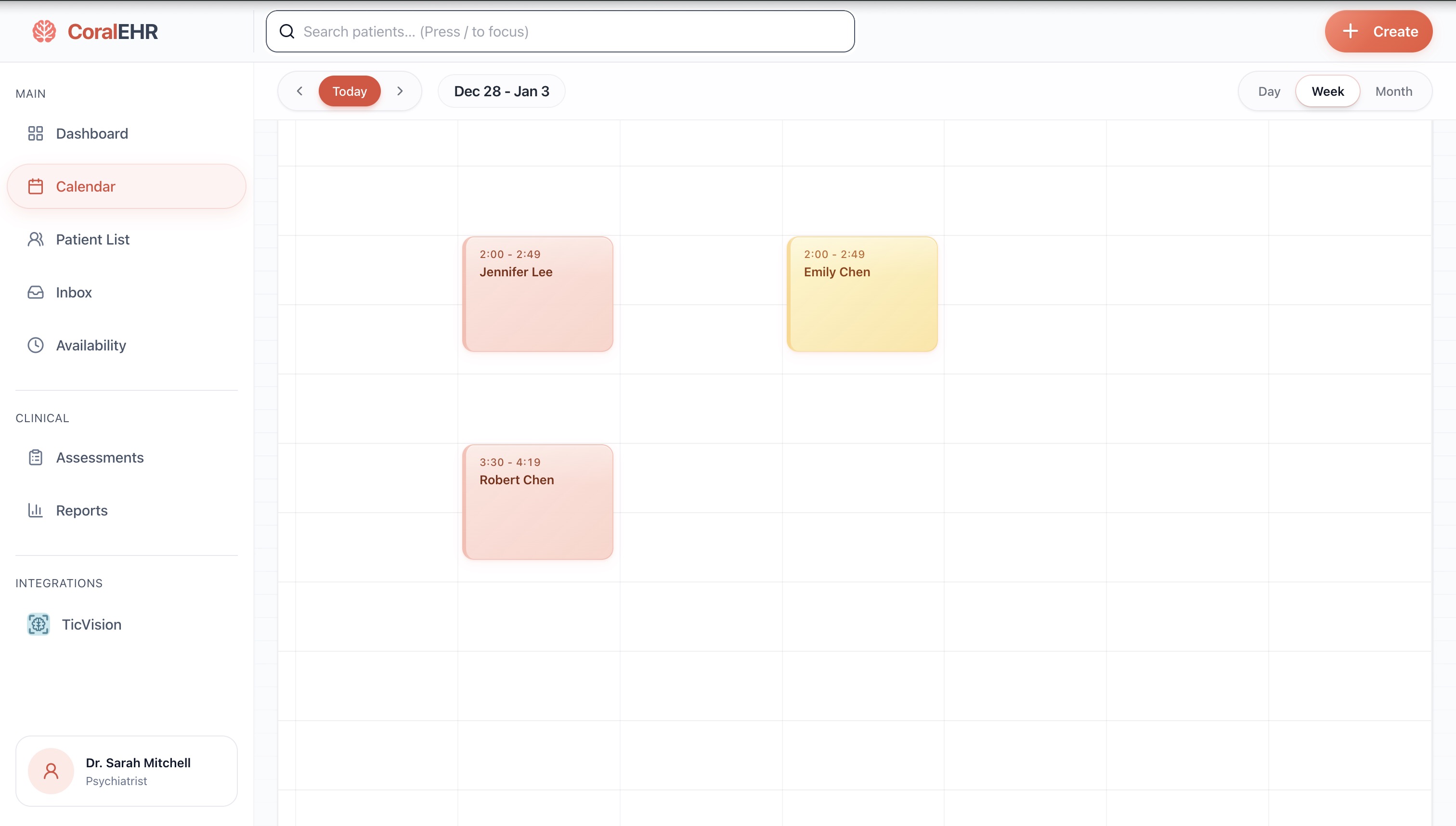
Navigate to Calendar from the sidebar to view your schedule
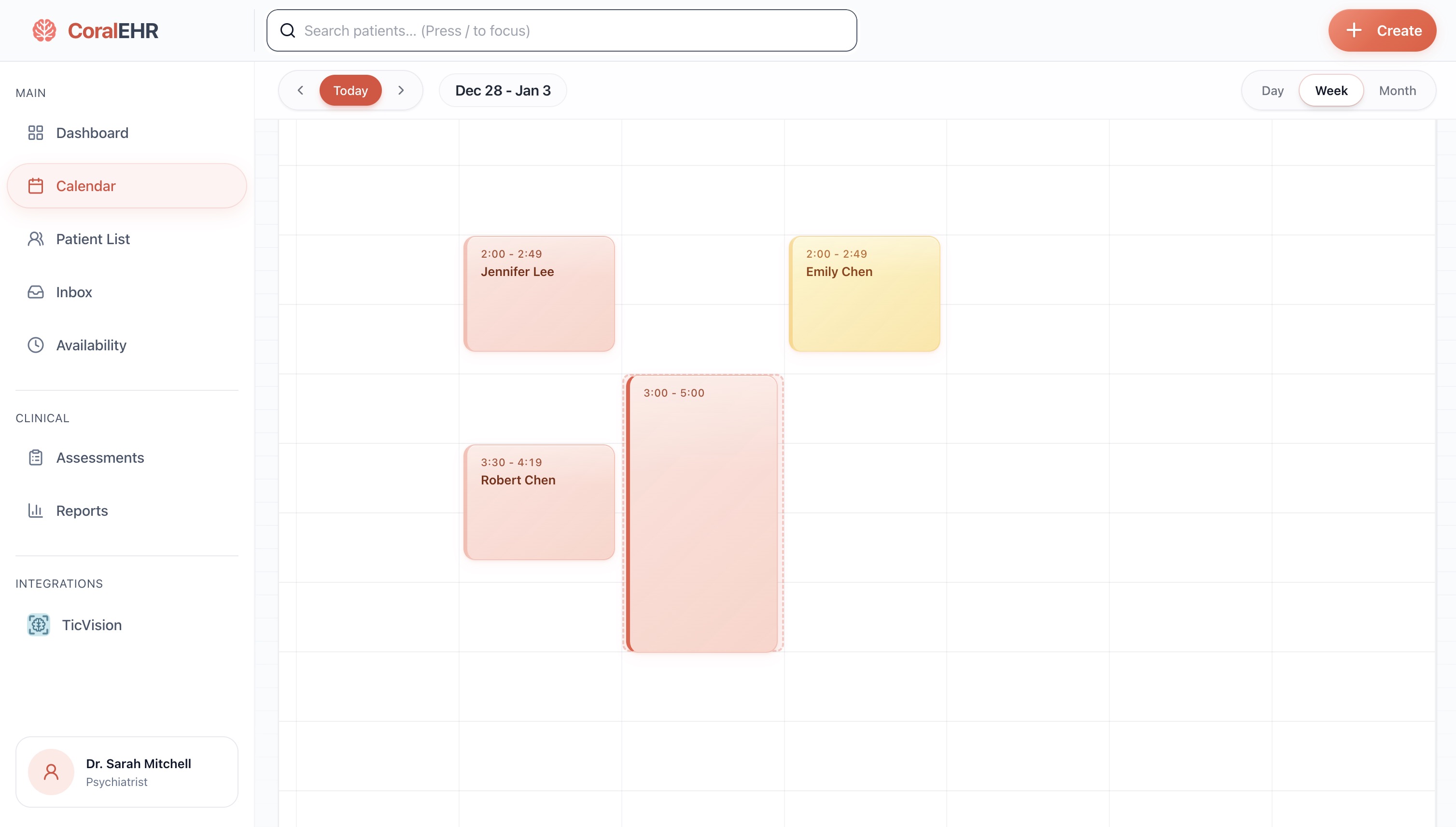
Click and drag on an empty slot to create a new appointment
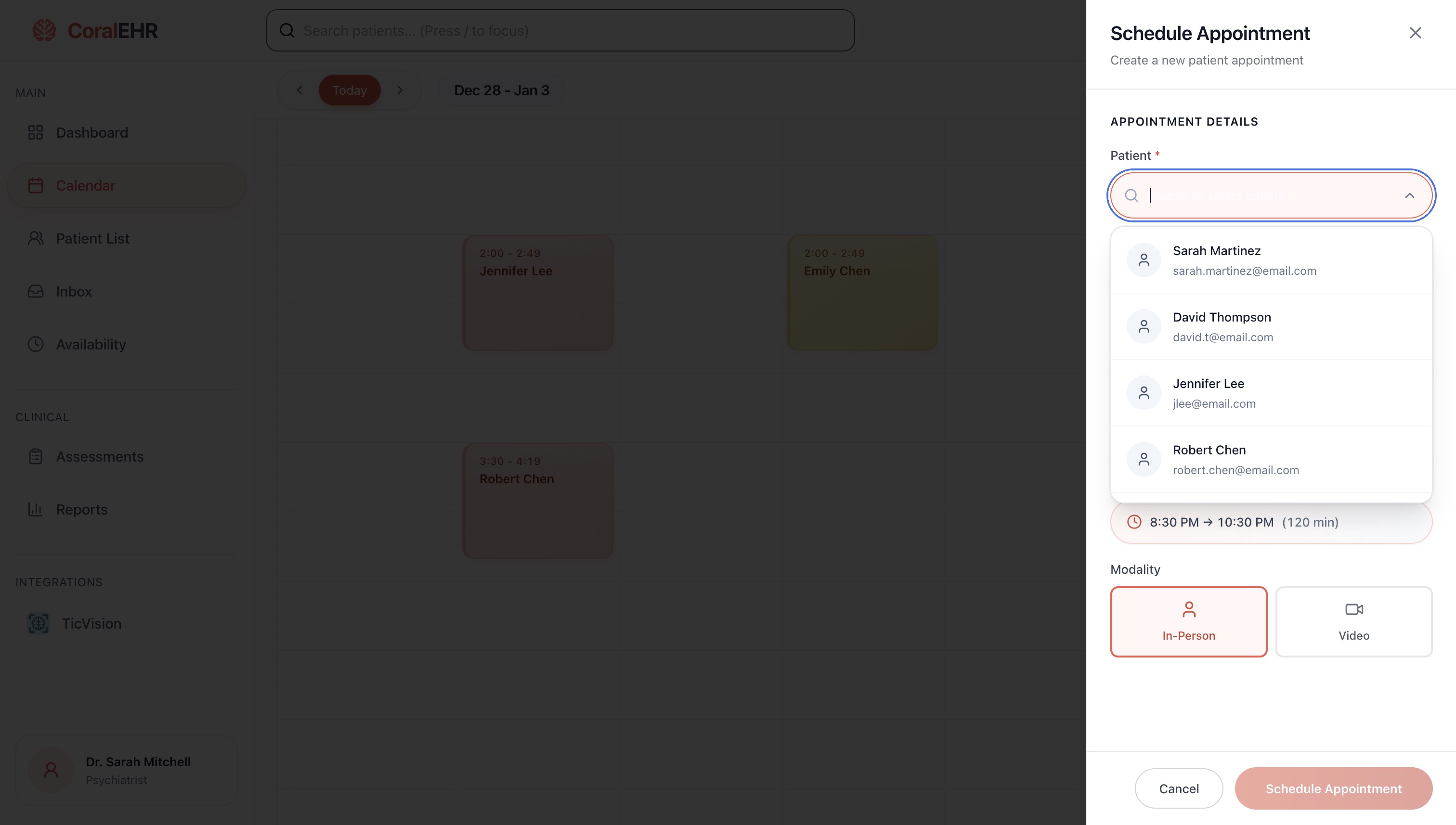
Fill in details: select patient, set time, choose In-Person or Video
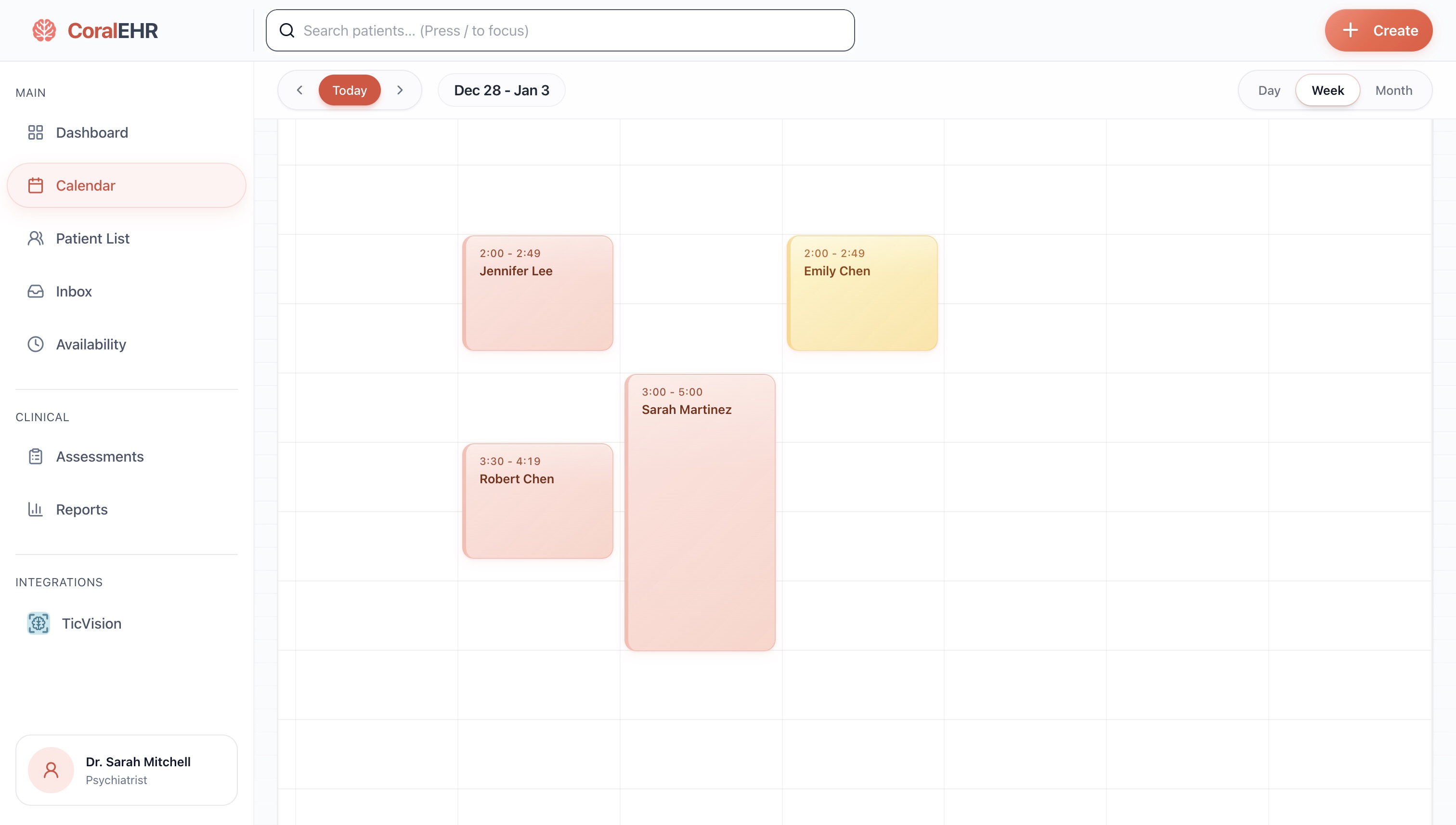
Common issues
"Time slot unavailable" error
The slot may conflict with another appointment or fall outside availability hours.
Manage availabilitye8f2a1d
Calendar.tsx:156
This guide was auto-generated from analyzing the Calendar component
Stop updating docs
by hand
Join the waitlist for early access.